Stop typing repetitive emails, scheduling links, and outreach notes. MailCraft embeds custom email templates and responsive HTML signatures directly into your native Gmail compose toolbar.
Dear Alex,
On behalf of the entire team at Selegus Software, I am thrilled to extend an official offer of employment for the position of Senior Product Designer!
We were all tremendously impressed by your portfolio and design leadership, and we believe you will make a huge impact on our product roadmap.
|
SS
|
Sarah Jenkins Head of People Operations • Selegus Software 📞 +1 (555) 019-2834 | 🌐 selegus.com |
Watch how seamlessly MailCraft injects email templates and designer signatures directly into Gmail with zero context switching.
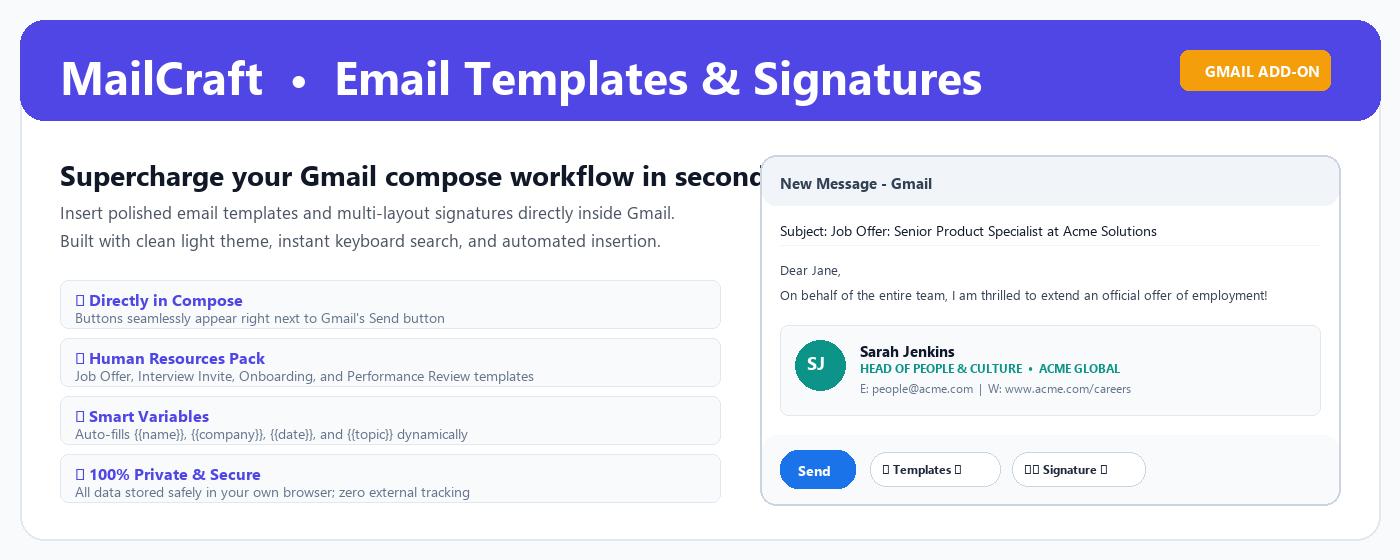
See the native [Templates] & [Signature] buttons inject right beside Send.
Search, filter, and insert categorized templates into any draft.
Watch {{name}} & {{company}} tags dynamically personalize the message.
Insert multi-column branded signatures with clickable booking buttons.
MailCraft transforms Gmail into a high-productivity email studio without unnecessary bloat, tabs, or complexity.
Adds sleek [ 📝 Templates ] and [ ✍️ Signature ] dropdown buttons directly into your Gmail compose toolbar. Insert templates in under two seconds without leaving your email draft.
Auto-populates subject lines and messages with tags like {{name}}, {{company}}, {{date}}, and {{position}} to send personalized emails at scale.
Create beautiful, split-column email signatures with company branding, colored avatars, and clean layout presets that render flawlessly in Outlook, Apple Mail, and Gmail mobile.
Embed interactive buttons directly into your email signatures to drive bookings via Calendly, lead forms, portfolio demos, or job application pages.
Automatically applies your designated signature and default template whenever you open a new email or compose a reply, strictly placing the signature below your text.
Your emails belong to you. Period. MailCraft stores templates and signatures locally in your Chrome browser (via encrypted sync) with zero external database tracking or reading.
Explore the clean UI, visual template organizer, and responsive signature studio.
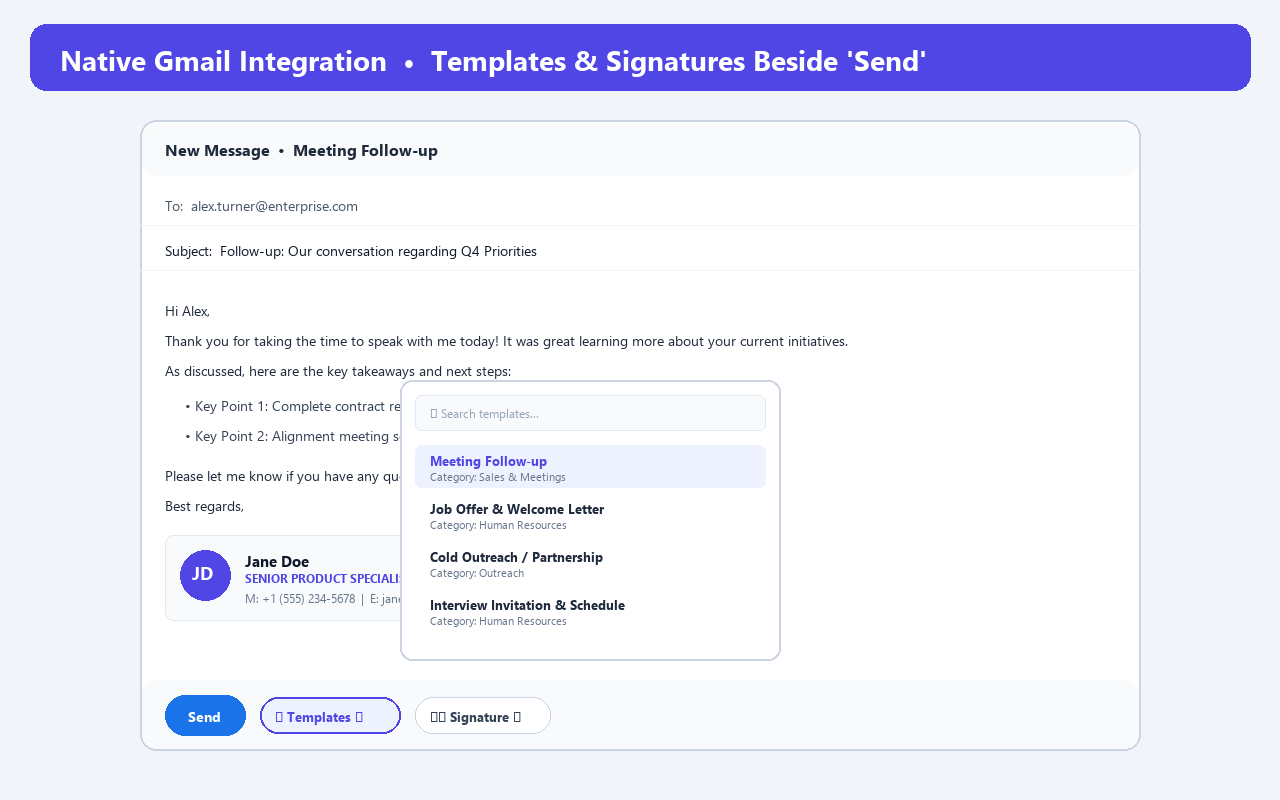
Quick access dropdowns right beside the native Send button.
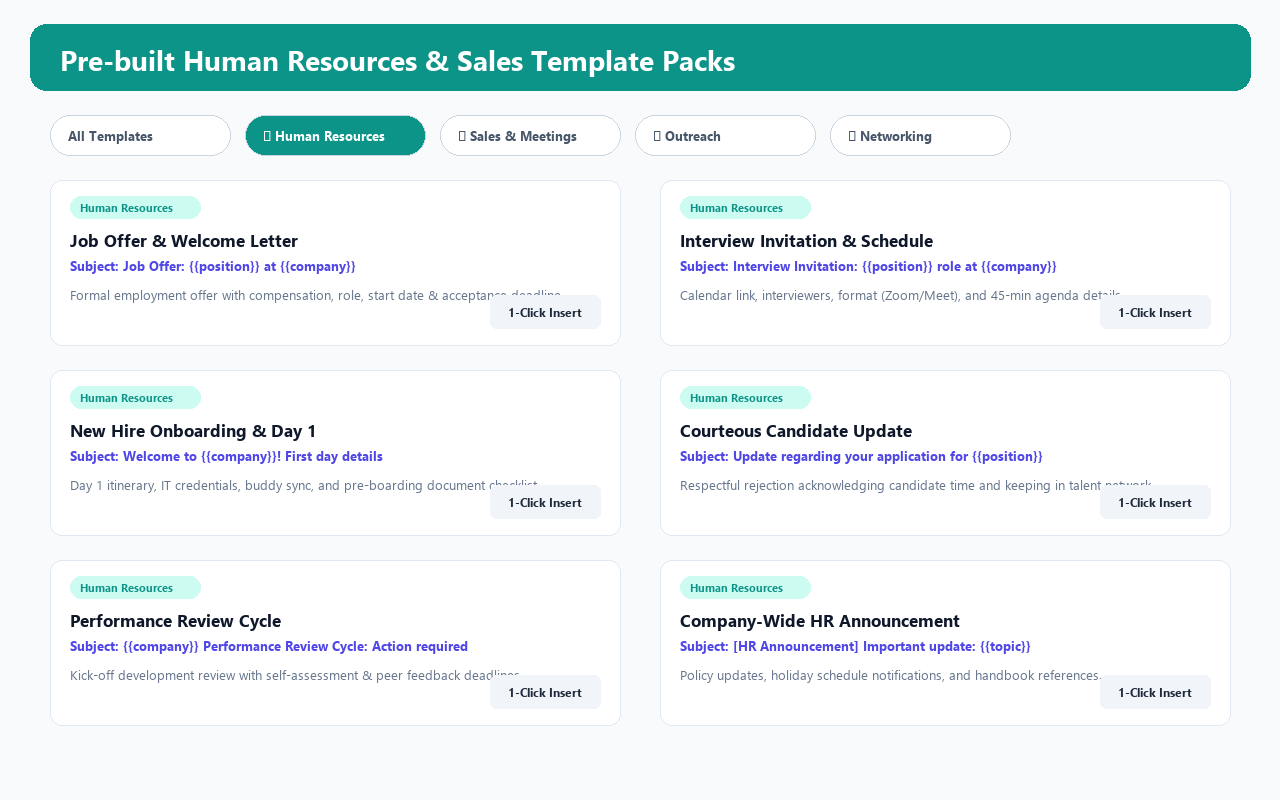
Pre-built suites for HR, Sales, Outreach, and Networking.
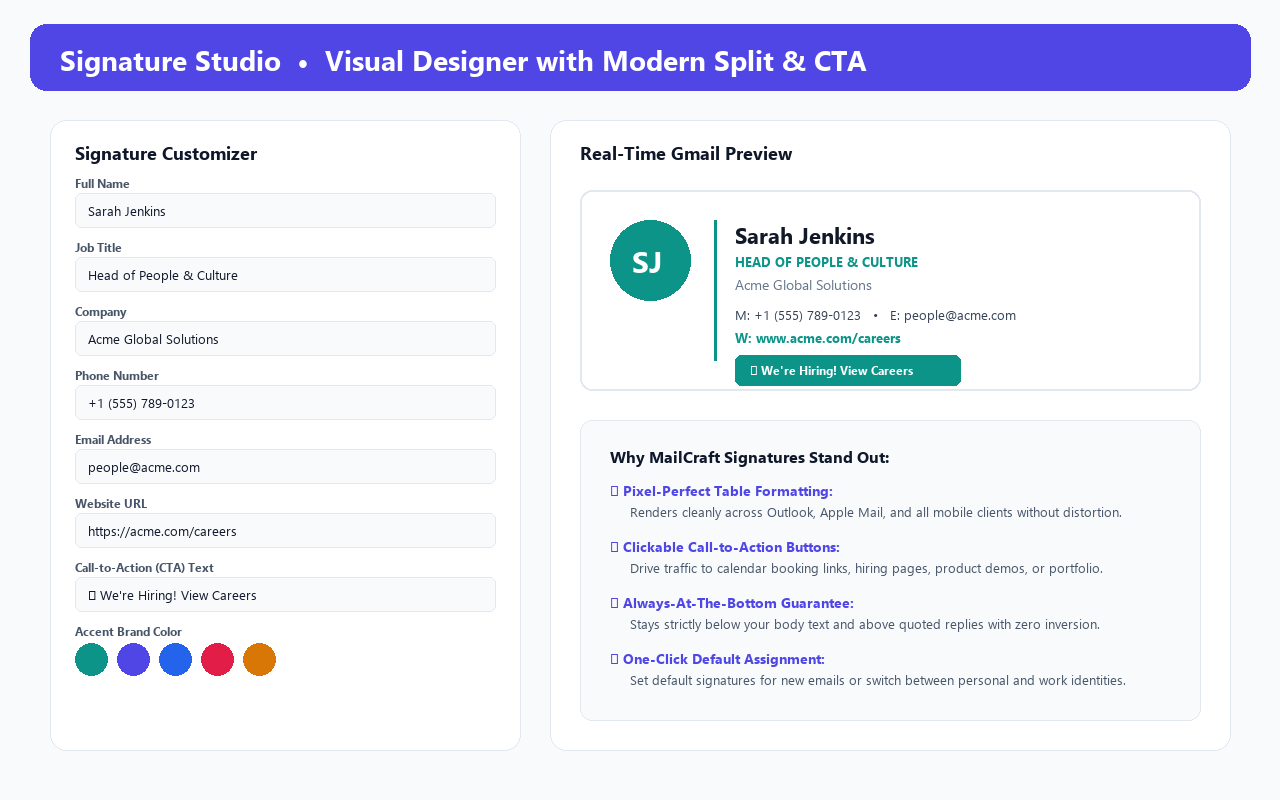
Design multi-column responsive signatures with live preview.
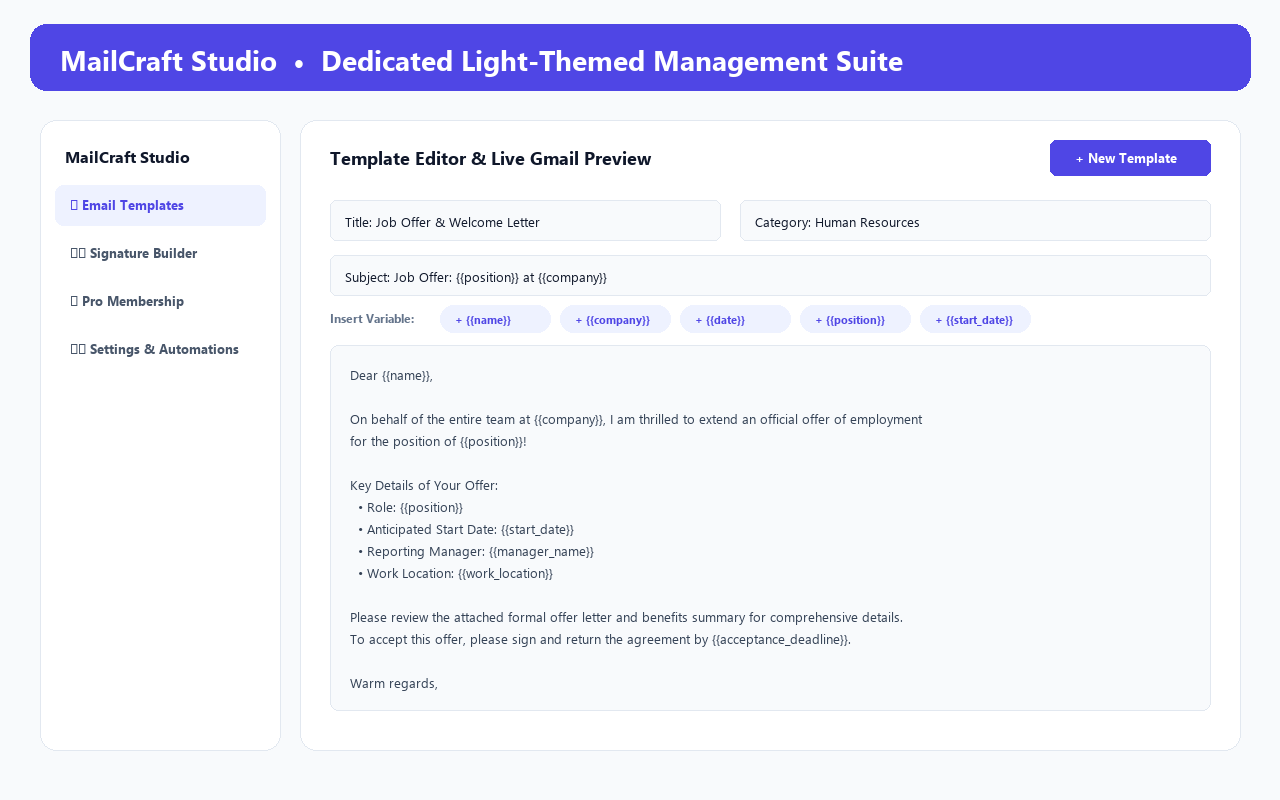
WYSIWYG formatting, variable chips, and JSON backup export.
Type your info below to see how MailCraft formats responsive, email-safe HTML signatures in real time.
Start free forever with basic templates, or upgrade to Pro for unlimited productivity.
Perfect for trying out 1-click templates and signatures inside Gmail.
Just $3.25/month. For founders, sales reps, recruiters, and busy executives.
Zero recurring subscriptions. Single payment for lifetime Pro features.
Everything you need to know about MailCraft, privacy, and licensing.
@gmail.com) as well as custom-domain Google Workspace accounts (e.g. @yourcompany.com).
chrome.storage.sync, logging into Chrome on your other device automatically syncs your Pro status. You can also click "Deactivate Pro" on an old computer to free up your license seat.